Let’s make it work for you
Overview
This course blends the flexibility of self-paced learning with the structure of live, instructor-led sessions. You'll learn from world-class industry experts and gain practical skills to drive meaningful results in your workplace. Our digital platform also empowers you to track your progress and manage your learning journey effectively.
In the intensive three-day workshop engineers and technical professionals will seek to master Site Reliability Engineering (SRE) principles through immersive, hands-on learning. Each module blends concise theory with practical labs, ensuring participants gain real-world skills in reliability, automation, monitoring, and incident management. The event culminates in a comprehensive disaster recovery and postmortem exercise, simulating real incident response and fostering a culture of continuous improvement.
Each module is structured around practical labs that mirror real-world challenges. The final day’s disaster recovery and postmortem exercise brings together all skills learned, providing a safe environment to practice high-stakes incident management and continuous improvement.
Prerequisites
Participants should have:
- Basic understanding of Linux/Unix systems and networking
- Familiarity with scripting (e.g., Bash, Python) is beneficial
- Prior exposure to cloud platforms or DevOps practices is helpful but not required
- Willingness to collaborate and participate in practical group exercises
Target audience
This course is designed for:
- DevOps engineers and platform engineers seeking to deepen their reliability and incident management skills
- System administrators and operations staff responsible for service uptime and automation
- Software engineers interested in building reliable, scalable systems and understanding operational best practices
- Technical leads and engineering managers who want to foster a culture of reliability and continuous improvement within their teams
Delegates will learn how to
By the end of this course, learners will be able to:
- Apply SRE principles to real-world systems and scenarios
- Automate operational tasks and implement effective monitoring
- Respond to incidents using industry-standard procedures
- Conduct blameless postmortems and drive reliability improvements
- Collaborate effectively in high-pressure, real-time situations
Outline
Introduction to SRE and Reliability Engineering
- Overview of SRE philosophy and key concepts
- The role of SRE in modern IT organizations
- Practical Lab: Setting up your SRE environment and tools
Service Level Objectives (SLOs) and Error Budgets
- Defining and measuring SLOs, SLIs, and SLAs
- Error budgets and their impact on release velocity
- Practical Lab: Creating and tracking SLOs for a sample service
Monitoring, Alerting, and Observability
- Principles of effective monitoring and alerting
- Building observability into systems
- Practical Lab: Implementing monitoring dashboards and alert rules
Automation and Toil Reduction
- Identifying and eliminating toil through automation
- Tools and techniques for automating operational tasks
- Practical Lab: Writing scripts to automate common SRE workflows
Change Management and Release Engineering
- Safe deployment strategies and change management processes
- Balancing reliability with innovation
- Practical Lab: Simulating blue/green and canary deployments
Incident Response Principles
- Coordinated, well-drilled, and sustainable incident response
- Roles, responsibilities, and communication during incidents
- Practical Lab: Simulated incident response exercise
Incident Management Lab and Postmortem
- Applying SRE incident response principles in a simulated scenario
- Conducting a blameless postmortem to extract actionable lessons
- Highly Practical Lab: Full-scale incident simulation, including:
- Raising and managing an incident
- Real-time remediation activities
- Stakeholder communication and documentation
- Culminating Exercise: Disaster recovery and postmortem analysis, producing actionable outputs and improvement items
Exams and assessments
There is no specific certification associated with this course.
Hands-on learning
- Practical Lab: Setting up your SRE environment and tools
- Practical Lab: Creating and tracking SLOs for a sample service
- Practical Lab: Implementing monitoring dashboards and alert rules
- Practical Lab: Writing scripts to automate common SRE workflows
- Practical Lab: Simulating blue/green and canary deployments
- Practical Lab: Simulated incident response exercise
- Final incident management and disaster recovery simulation
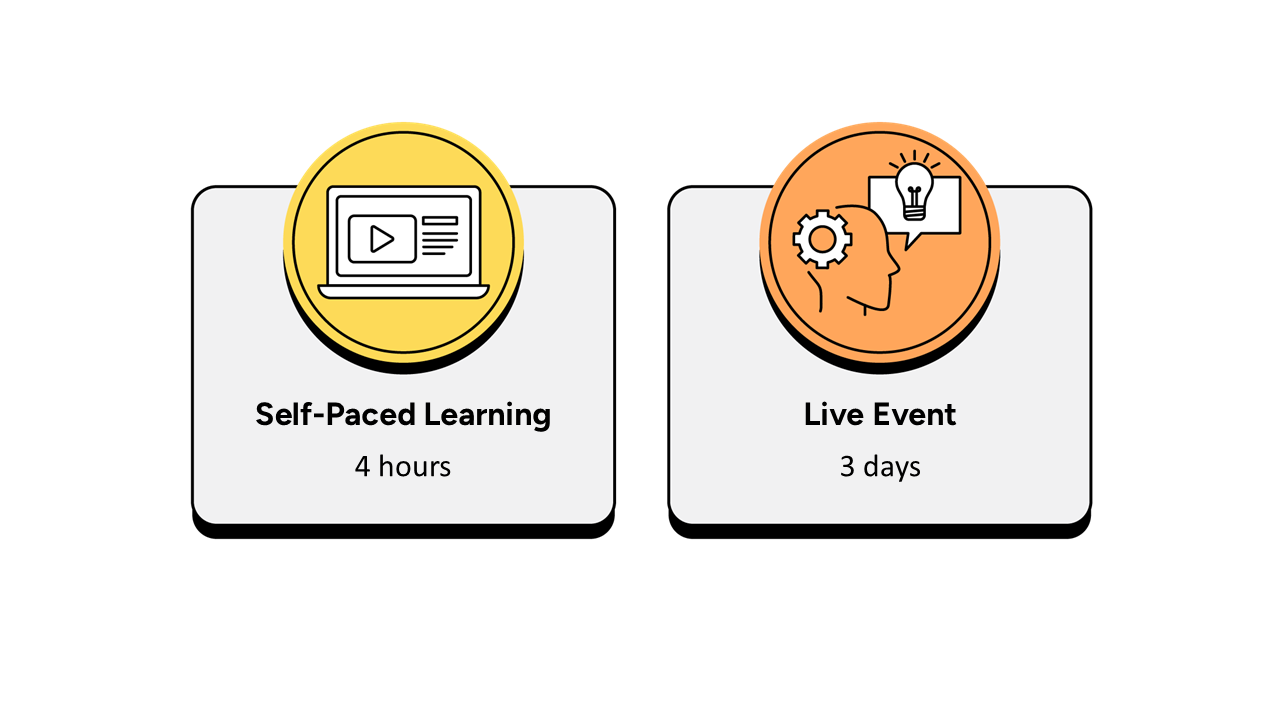
Self-paced learning
- Up to 4 hours, completed over a 4-week period prior to the live event.
- It is recommended that the self-paced learning is completed prior to joining the live event.
- It is recommended that learners have a minimum of 4 weeks between the course booking and the instructor-led live event to complete the necessary hours of learning.
- The self-paced learning is available 4 weeks prior to the live event and for 12 months following the live event.
Instructor-led live event
- This course has a 3-day live event.

Frequently asked questions
How can I create an account on myQA.com?
There are a number of ways to create an account. If you are a self-funder, simply select the "Create account" option on the login page.
If you have been booked onto a course by your company, you will receive a confirmation email. From this email, select "Sign into myQA" and you will be taken to the "Create account" page. Complete all of the details and select "Create account".
If you have the booking number you can also go here and select the "I have a booking number" option. Enter the booking reference and your surname. If the details match, you will be taken to the "Create account" page from where you can enter your details and confirm your account.
Find more answers to frequently asked questions in our FAQs: Bookings & Cancellations page.
How do QA’s virtual classroom courses work?
Our virtual classroom courses allow you to access award-winning classroom training, without leaving your home or office. Our learning professionals are specially trained on how to interact with remote attendees and our remote labs ensure all participants can take part in hands-on exercises wherever they are.
We use the WebEx video conferencing platform by Cisco. Before you book, check that you meet the WebEx system requirements and run a test meeting to ensure the software is compatible with your firewall settings. If it doesn’t work, try adjusting your settings or contact your IT department about permitting the website.
How do QA’s online courses work?
QA online courses, also commonly known as distance learning courses or elearning courses, take the form of interactive software designed for individual learning, but you will also have access to full support from our subject-matter experts for the duration of your course.
Once you have purchased the Online course and have completed your registration, you will receive the necessary details to enable you to immediately access it through our e-learning platform and you can start to learn straight away, from any compatible device. Access to the online learning platform is valid for one year from the booking date.
All courses are built around case studies and presented in an engaging format, which includes storytelling elements, video, audio and humour. Every case study is supported by sample documents and a collection of Knowledge Nuggets that provide more in-depth detail on the wider processes.
When will I receive my joining instructions?
Joining instructions for QA courses are sent two weeks prior to the course start date, or immediately if the booking is confirmed within this timeframe. For course bookings made via QA but delivered by a third-party supplier, joining instructions are sent to attendees prior to the training course, but timescales vary depending on each supplier’s terms. Read more FAQs.
When will I receive my certificate?
Certificates of Achievement are issued at the end the course, either as a hard copy or via email. Read more here.