Let’s make it work for you
Overview
This course blends the flexibility of self-paced learning with the structure of live, instructor-led sessions. You'll learn from world-class industry experts and gain practical skills to drive meaningful results in your workplace. Our digital platform also empowers you to track your progress and manage your learning journey effectively.
The two-day course provides a comprehensive guide to optimizing cost and sustainability in Microsoft Azure environments. It equips learners with practical skills to implement FinOps principles, manage billing and resource tagging, and automate cost-saving strategies across compute, storage, networking, and serverless services. Through hands-on lessons, participants will learn to align technical decisions with business goals, reduce waste, and enhance visibility and accountability in cloud spending.
Prerequisites
Participants should have:
Basic knowledge of Microsoft Azure services and architecture.
Familiarity with cloud computing concepts and billing models.
Experience with Azure portal navigation and resource management.
Understanding of organizational budgeting or financial accountability is helpful but not required.
Target audience
This course is designed for:
- Cloud architects and engineers responsible for Azure infrastructure.
- IT operations and finance professionals involved in cloud cost management.
- Sustainability officers and FinOps practitioners.
- Technical decision-makers seeking to align cloud usage with business and environmental goals.
Delegates will learn how to
By the end of this course, learners will be able to:
- Understand and apply FinOps and sustainability principles within Azure.
- Use Azure-native tools for cost governance, billing, and forecasting.
- Optimize compute, storage, and networking resources for cost efficiency.
- Implement tagging and management group strategies for cost allocation.
- Leverage reservations, hybrid benefits, and serverless platforms for savings.
- Automate cost and sustainability improvements using Azure AI and automation tools.
Outline
Lesson 1: Azure FinOps & Sustainability Essentials
Objective: Understand how FinOps, cost governance, and sustainability practices are integrated into Azure and aligned with business goals.
- Introduction to FinOps in Azure
- What is FinOps? Core principles in a Microsoft context
- Key personas: Finance, Engineering, and Product collaboration
- Azure’s CAF (Cloud Adoption Framework) and FinOps alignment
- Sustainability in Azure
- Microsoft’s commitment to carbon negativity and renewable energy
- Using the Microsoft Sustainability Calculator
- Aligning with Azure’s Sustainability Guidance and WAF
- Setting up Azure Cost Management + Billing
- Establishing chargebacks/showbacks and accountability
- Azure Policy for enforcing governance and tagging
- Evaluating trade-offs in design decisions
- Aligning technical decisions with business priorities
- Creating a culture of cloud financial accountability
- Cost Governance & Visibility
- Balancing Cost, Performance & Sustainability
Lesson 2: Mastering Azure Billing, Tagging & Management Groups
Objective: Use Azure-native tools for billing, budgeting, tagging, and hierarchical cost control across subscriptions.
- Understanding Azure Pricing & Billing Models
- Azure Pay-as-you-go, Reservations, and Spot VM pricing
- Analyzing Azure invoices, EA/MCUA usage, and billing scope
- Azure Pricing Calculator & TCO Estimator
- Cost Visibility & Forecasting
- Navigating Azure Cost Analysis
- Budgeting and alerting with Azure Budgets
- Forecasting spend across departments or projects
- Importance of resource tagging for cost tracking
- Azure Tagging best practices and enforcement via Azure Policy
- Using Cost Allocation Rules and management groups
- Structuring Azure Management Groups for cost and policy control
- Consolidated billing via Microsoft Customer Agreement (MCA)
- RBAC and scopes of cost visibility
- Tagging & Cost Allocation Strategies
- Subscription & Management Group Optimisation
Lesson 3: Optimising Azure Compute & Autoscaling for Cost Efficiency
Objective: Minimise waste and overprovisioning by right-sizing compute workloads and leveraging automation.
- Right-Sizing Azure Compute Resources
- Identifying underused VMs with Advisor & Metrics
- Selecting optimal VM series (D, B, E, F, etc.)
- Leverage Azure Migrate for workload assessments
- Virtual Machine Cost Optimisation
- Azure Spot VMs vs. Reserved vs. Pay-as-you-go
- Use of Virtual Machine Scale Sets (VMSS)
- Evaluating Azure Reservations for predictable workloads
- Azure Container Instances vs. AKS
- Cost trade-offs between Azure Functions and AKS
- Reducing function execution time and concurrency limits
- Configuring autoscaling for performance and cost
- App Service autoscale rules
- Using Azure Automation for off-hours scale-downs
- Container & Serverless Efficiency
- Scaling Best Practices
Lesson 4: Cost & Sustainability Optimisation for Azure Storage & Databases
Objective: Reduce costs and environmental impact across Azure Storage, SQL, Cosmos DB, and Synapse.
- Azure Storage Cost Optimisation
- Blob storage tiers (Hot, Cool, Archive)
- Lifecycle management and automatic tiering
- Cost-effective replication (LRS, ZRS, GRS)
- Disk & Snapshot Management
- Azure Disk types (Standard HDD/SSD vs. Premium SSD)
- Snapshot management and orphaned disk cleanup
- Azure Storage Explorer for audit and management
- Comparing Azure SQL vs. SQL Managed Instance vs. PostgreSQL
- Cosmos DB: Provisioned vs. serverless throughput
- Optimising Synapse workloads with workload management
- Data lifecycle policies and archival strategies
- Avoiding unnecessary data duplication
- Azure Purview for data governance and cleanup
- Database Efficiency
- Data Sustainability Best Practices
Lesson 5: Reducing Azure Networking & Data Transfer Costs
Objective: Optimise data egress, routing, and network resources to reduce unnecessary spend.
- Understanding Azure Data Transfer Pricing
- VNet peering, inter-region, and internet egress costs
- Using Cost Analysis for network insights
- Identifying costly architecture patterns
- Minimising Unnecessary Transfers
- Using Private Link and ExpressRoute
- Optimising use of Azure CDN & Front Door
- Best practices for hybrid cloud connectivity
- Right-sizing Azure Firewall, NAT Gateway, and Load Balancers
- DNS cost control via Azure DNS
- Traffic routing efficiency using Azure Traffic Manager
- Network Resource Optimisation
Lesson 6: Maximising Savings with Reservations, Hybrid Benefits & Serverless
Objective: Leverage Azure Reservations, Hybrid Benefits, and serverless platforms for predictable cost savings.
- Understanding Azure Commitment Options
- Reservations for VMs, SQL, App Services, and Synapse
- Azure Hybrid Benefit (for Windows & SQL licenses)
- Exchange and cancel strategies for flexibility
- Maximising Reservations
- Managing unused reserved capacity
- Azure Advisor recommendations for reservations
- Monitoring via Cost Management APIs
- Optimising workloads with Azure Functions and Durable Functions
- Event-driven designs using Event Grid & Service Bus
- Cost controls for Logic Apps and App Services
- Alerts for unused or underused reservations
- Budgeting tools and Advisor integration
- Using ARM templates and Bicep for standardised deployments
- Serverless Savings Strategies
- Automation for Commitment Management
Lesson 7: Automating Cost & Sustainability Optimisation in Azure
Objective: Enable continuous cost and sustainability improvements using Azure-native automation and AI tools.
- Azure Advisor & Recommendations
- Automating cost and performance recommendations
- Integrating Advisor with Azure Monitor alerts
- Custom workflows with Logic Apps or Azure Functions
- Monitoring & Reporting Sustainability
- Using the Microsoft Sustainability Calculator
- Carbon accounting dashboards in Azure
- Strategies for reducing compute and storage energy usage
- Azure Automation Runbooks for cost cleanup
- Leveraging Cost Management APIs for proactive optimisation
- Scheduled scale-downs and shutdowns
- Using Cost Anomaly Alerts
- Azure Monitor Workbooks for spend insights
- Implementing AI/ML pipelines for predictive optimisation
- Automation for Cost Management
- AI and Anomaly Detection
Exams and assessments
There is no specific exam or certification associated with this course.
Hands-on learning
This course includes practical labs.
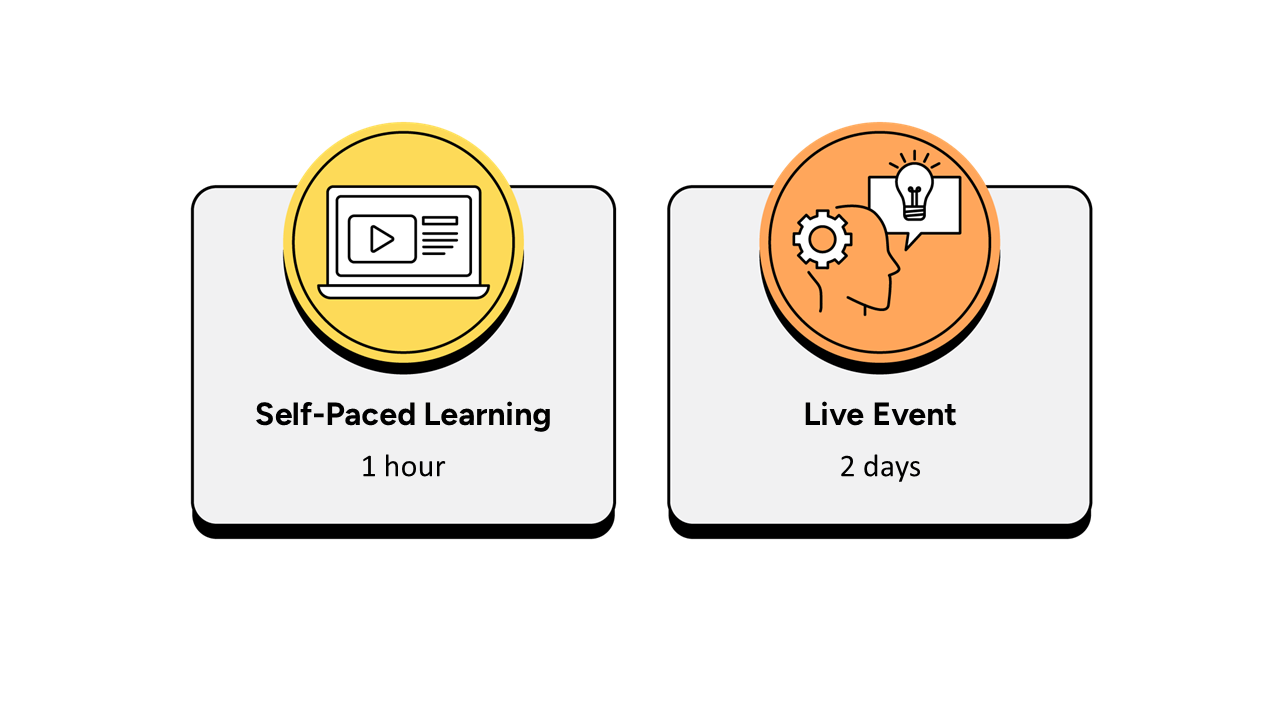
Self-paced learning
- Up to 1 hour, completed over a 2-week period prior to the live event.
- It is recommended that the self-paced learning is completed prior to joining the live event.
- It is recommended that learners have a minimum of 2 weeks between the course booking and the instructor-led live event to complete the necessary hours of learning.
- The self-paced learning is available 2 weeks prior to the live event and for 12 months following the live event.
Instructor-led live event
- This course has a 2-day live event.

Frequently asked questions
How can I create an account on myQA.com?
There are a number of ways to create an account. If you are a self-funder, simply select the "Create account" option on the login page.
If you have been booked onto a course by your company, you will receive a confirmation email. From this email, select "Sign into myQA" and you will be taken to the "Create account" page. Complete all of the details and select "Create account".
If you have the booking number you can also go here and select the "I have a booking number" option. Enter the booking reference and your surname. If the details match, you will be taken to the "Create account" page from where you can enter your details and confirm your account.
Find more answers to frequently asked questions in our FAQs: Bookings & Cancellations page.
How do QA’s virtual classroom courses work?
Our virtual classroom courses allow you to access award-winning classroom training, without leaving your home or office. Our learning professionals are specially trained on how to interact with remote attendees and our remote labs ensure all participants can take part in hands-on exercises wherever they are.
We use the WebEx video conferencing platform by Cisco. Before you book, check that you meet the WebEx system requirements and run a test meeting to ensure the software is compatible with your firewall settings. If it doesn’t work, try adjusting your settings or contact your IT department about permitting the website.
How do QA’s online courses work?
QA online courses, also commonly known as distance learning courses or elearning courses, take the form of interactive software designed for individual learning, but you will also have access to full support from our subject-matter experts for the duration of your course.
Once you have purchased the Online course and have completed your registration, you will receive the necessary details to enable you to immediately access it through our e-learning platform and you can start to learn straight away, from any compatible device. Access to the online learning platform is valid for one year from the booking date.
All courses are built around case studies and presented in an engaging format, which includes storytelling elements, video, audio and humour. Every case study is supported by sample documents and a collection of Knowledge Nuggets that provide more in-depth detail on the wider processes.
When will I receive my joining instructions?
Joining instructions for QA courses are sent two weeks prior to the course start date, or immediately if the booking is confirmed within this timeframe. For course bookings made via QA but delivered by a third-party supplier, joining instructions are sent to attendees prior to the training course, but timescales vary depending on each supplier’s terms. Read more FAQs.
When will I receive my certificate?
Certificates of Achievement are issued at the end the course, either as a hard copy or via email. Read more here.